
#Signing in and permissions
Signing in to Chester, resetting a password, and how users and roles are administered.
#What decides what
Three different things are easy to confuse, so it is worth separating them before the detail. Signing in creates a session, and that session is what every other part of Chester runs under. Group membership decides which work reaches you. A role can be defined today but does not yet gate anything — see Users and roles.
#Signing in
Chester uses a central login. You sign in once and reach the modelling interface, the task inbox and monitoring with the same session.
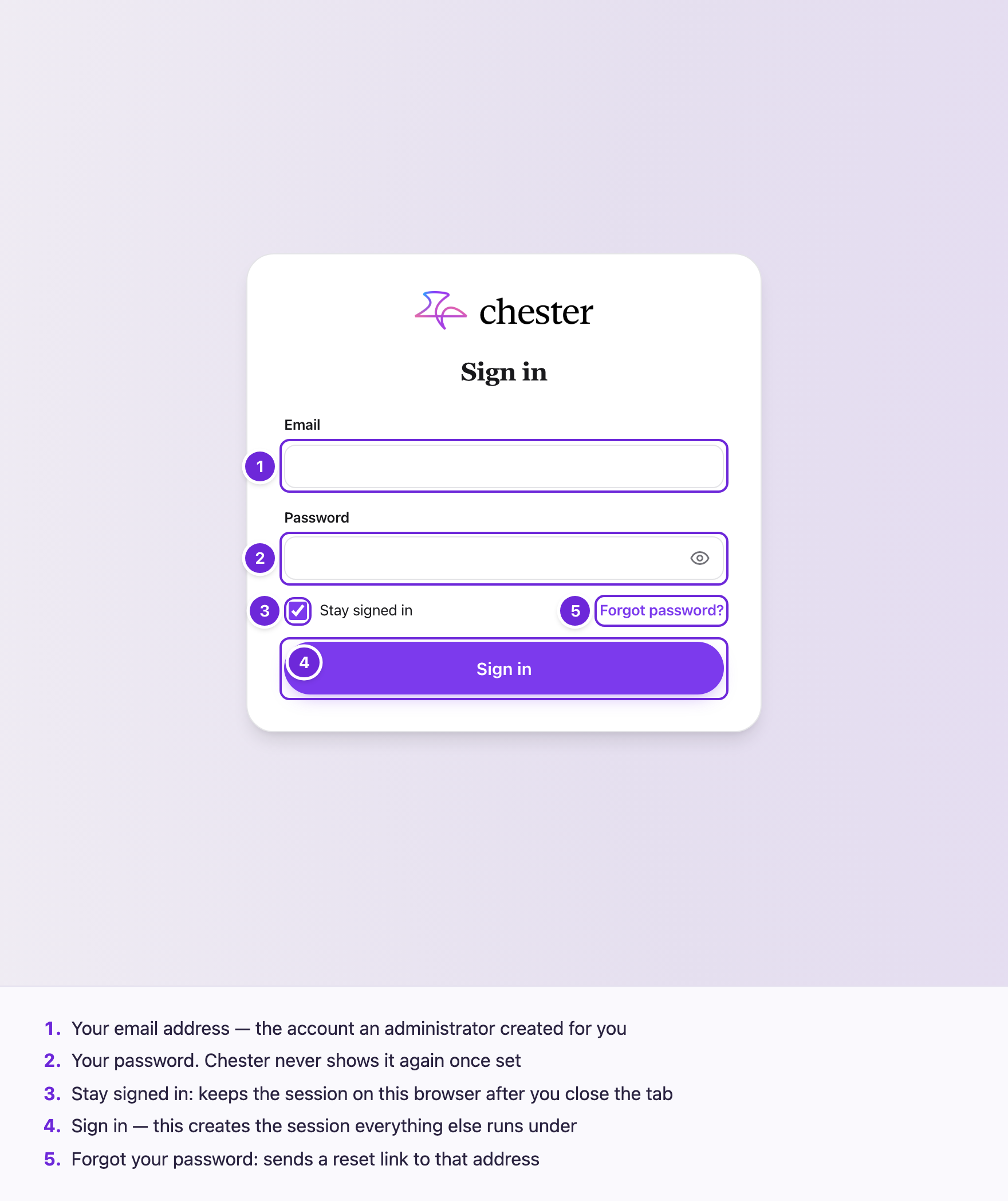
If your session expires or is revoked, you are returned to the login page; nothing is lost, because work in progress is saved as you go.
#Resetting a password
Use the forgotten-password link on the login screen. Chester sends a reset link by email. An administrator can also trigger a reset for a user.
#Users and roles
Users are administered centrally: an administrator creates them and can trigger a password reset. See Manage users and groups.
Roles and their permissions can be defined today, but not assigned in the interface. They do not yet restrict what a signed-in user can reach — every authenticated user currently has the same access. Configure them if you want the structure in place, but do not rely on them to keep anyone out of anything. See Roles and permissions.
Adding somebody to a group is a different thing and does take effect: a multi-instance step over the group hands each member a task. See Manage users and groups.