
#Expressions
Expressions compute values and decide which path a process takes at runtime.
Wherever a value cannot be fixed while modelling, you write an expression instead, and
Chester evaluates it while the process runs. An expression is one piece of JavaScript, such as
StartEvent_order.amount > 1000. See Write an expression.
#Where you can use one
- On a gateway, to decide which path is taken.
- In a request of a service task — its parameters, headers and body.
- In an email — recipients, subject, calculations in the text, attachments.
- On a user task — the assignee, the title, the values a form opens with, and when a field is shown or locked.
- In a multi-instance step, to name the list it runs over.
- In the inputs of a sub-process or call activity.
- On a message event, to filter the incoming requests.
The full list, with what each one reads and when: Where expressions are used. For ready-made ones: Expression examples.
#Where an expression is evaluated
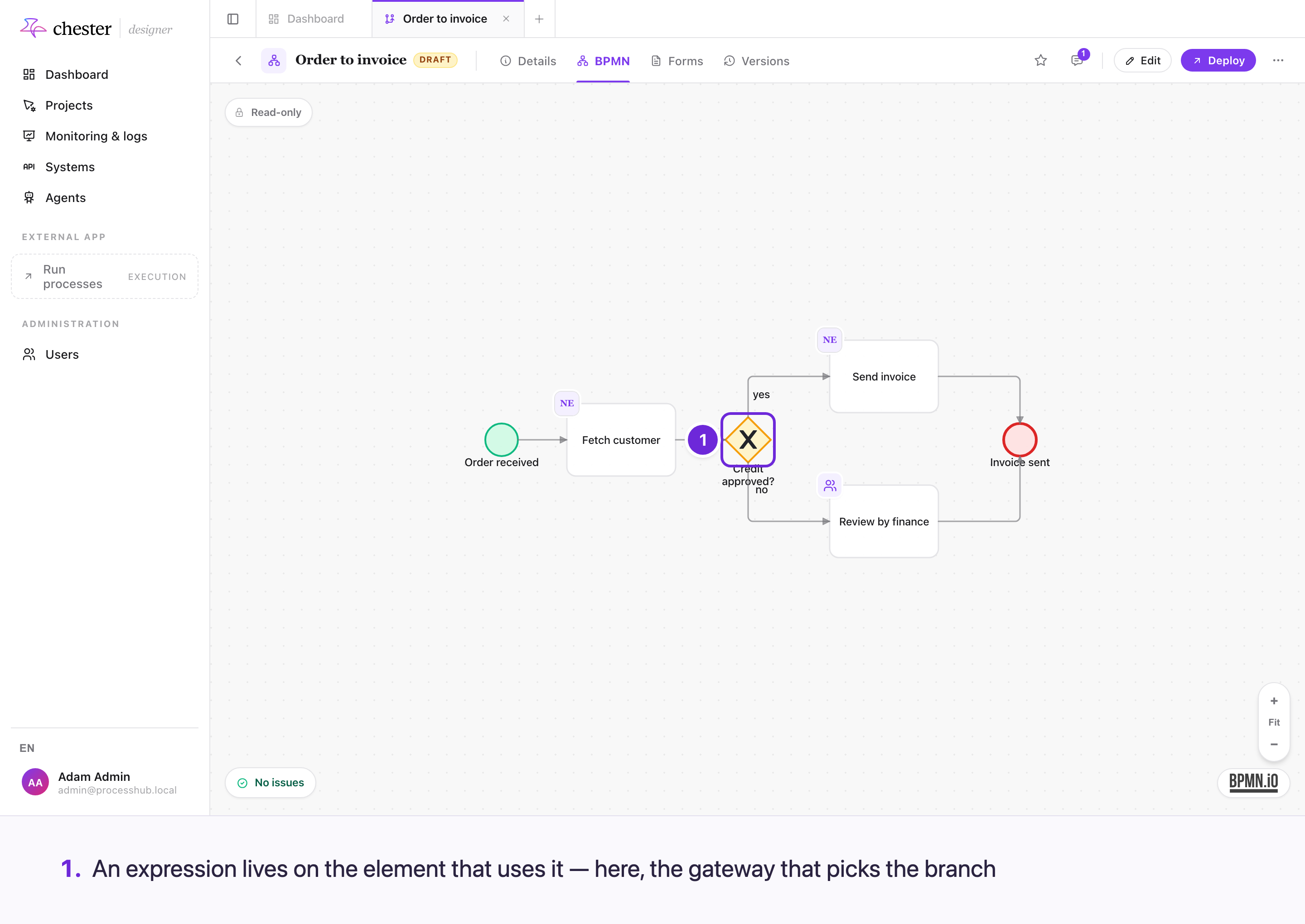
An expression is attached to the element that uses it, and reads from what the process has produced so far.
#What an expression can see
Most expressions read the process data — what started the process, and what each finished step produced — and nothing else. They run in a sandbox with no access to the database, to other instances or to the network.
Some see less: a message filter sees only the incoming request, a start-form mapping only the form's values, and the steps inside a sub-process only its inputs. Conditions on form fields run in the browser of the person filling in the form.
#When they are evaluated
At the moment the step needs the value, not when you model it. An expression on a gateway runs when the process reaches the gateway, so it sees everything produced before that point and nothing after. A user task works out its values when it is created.
#When something is missing
- A step that has not run — its element id does not exist yet. The expression fails, and with it the step, which is reported in monitoring.
- A field that a step did not return is
undefined. What happens then depends on the field: a gateway path is not taken, an empty request parameter is left out, a user task's form fails.
If a step only runs on some paths, test for it: typeof Activity_review === "undefined".
#A failed expression is not retried
An expression that is wrong will stay wrong, so retrying it would only delay the report. The step is stopped at once instead — unlike a failing service call, which is retried.
⚠️ A few places do not stop the step: a failed display title falls back to the element's name, a failed calculation in an email is left empty, and a failed correlation ID is used as written.