
#Environments and credentials
An environment holds the address and the login for one server of a system, so an adapter is defined once and reused across servers.
#How a system, its environments and its credentials relate
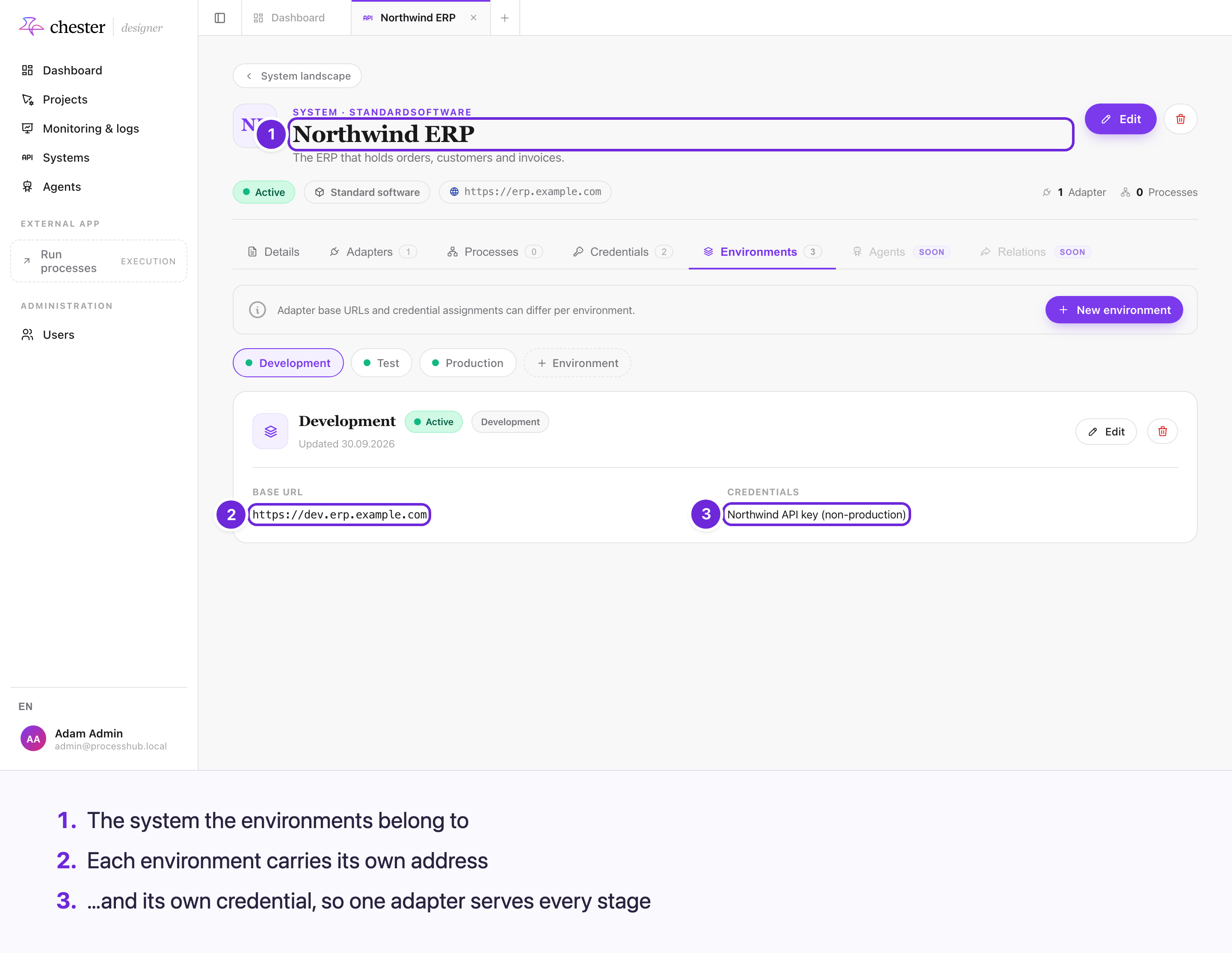
One adapter therefore serves every stage: the address and the login are properties of the environment, not of the adapter.
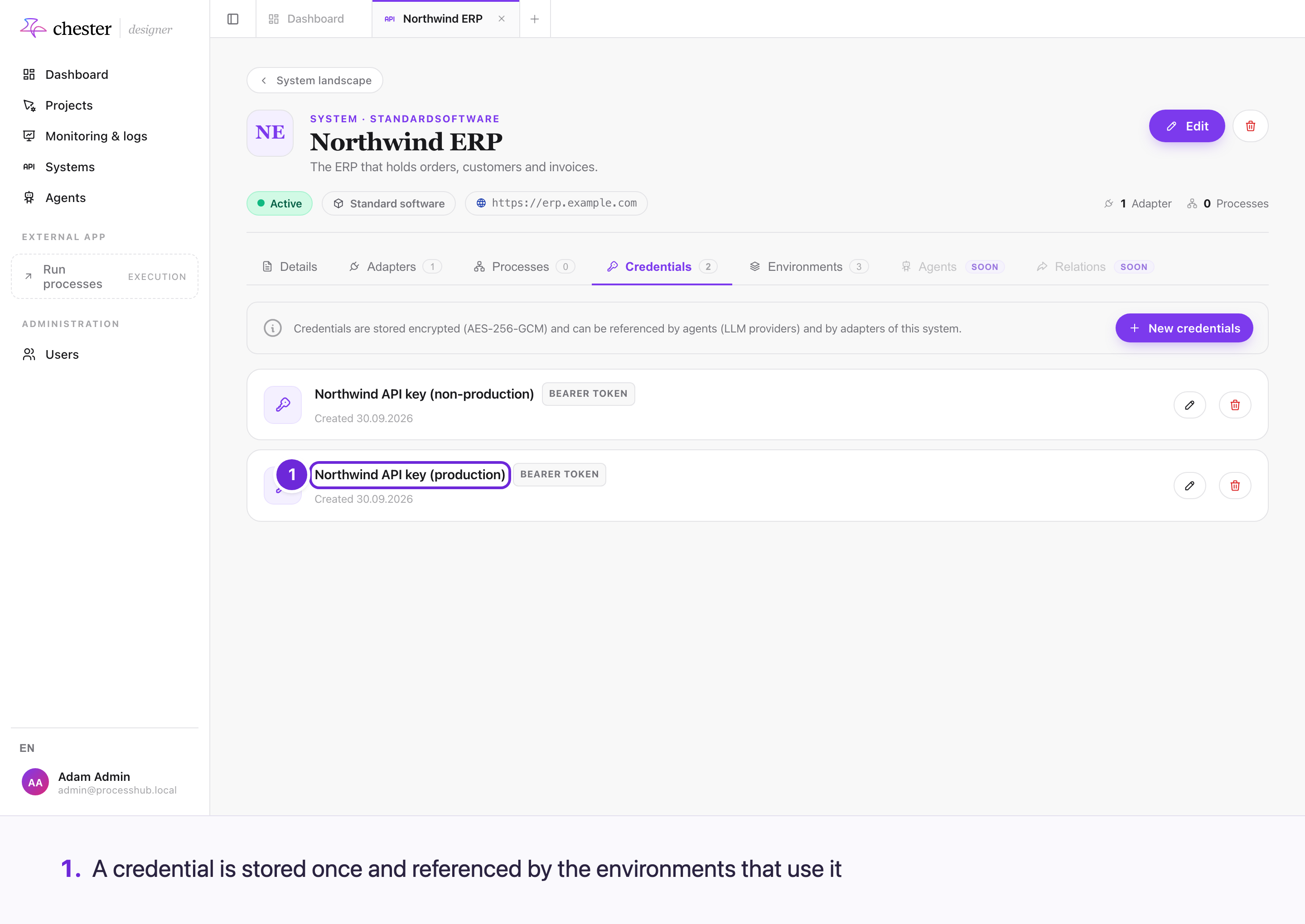
One credential can serve several environments, and each environment carries its own address. That is why a rotated password is one edit rather than one per server.
#Add an environment
Under a system, create one environment per server you need to reach. Each one carries:
- A name, unique within that system.
- A base URL — the address of that server, and only the address. Anything after the host belongs on the adapter; see Put the host here and the path on the adapter.
- A classification — Development, Test or Production.
- A credential, optionally — how to authenticate against that server.
- Active or not — whether it may be used at all.
A process never names a URL. It names an action and an environment, and the environment supplies the address.
The environment is part of the process model, not a switch at start time. It is chosen while modelling and frozen into the deployment, so running the same process against a different server means changing it in the model and deploying again — not picking a different environment when you start an instance.
#Put the host here and the path on the adapter
The address is split between two places, and the split matters.
flowchart LR
    E["Environment<br/>https://api.example.com"] --> J
    A["Adapter base path<br/>/v2"] --> J
    C["Action path<br/>/orders"] --> J
    J["Request URL<br/>https://api.example.com/v2/orders"]
The environment supplies the host. The adapter supplies the path prefix that every one of its actions shares. The action supplies the rest. Chester joins the three when the process runs.
So a base URL of https://api.example.com/v2 is one /v2 too many: the adapter already
contributes that part. Chester accepts it and shows a warning, because a system whose API
really does sit under one shared prefix is unusual but legitimate — read the warning and
decide which of the two places the path belongs in.
Leaving the path on the environment causes one of two problems, depending on the adapter:
- The adapter has its own path prefix, and the request gets it twice.
- The adapter has none, and requests go to the host without it — which usually fails with a "not found" or "method not allowed" from the other service.
Both are easy to miss on an inbound adapter, because neither surfaces until Chester registers the webhook with the other service. The modeller checks the environment and the adapter together and says which of the two you have: that the adapter's path will be lost, or that it will be applied twice. Follow what it says rather than assuming — adding a base path is the right fix for the first case and the cause of the second. See Systems, adapters and actions.
#Classify the environment, or some things will refuse to run
The classification is not decoration. A new environment starts as unspecified, and tools that must not touch live data refuse to run against it — including the Element Workbench, which only accepts Development and Test.
If something tells you an environment is not usable for a trial run, this is usually why: nobody has classified it yet. An administrator sets it under Systems → the system → Environments.
The default is deliberately the restrictive one. Treating an unclassified environment as safe would be wrong in exactly the dangerous direction — every environment that existed before the field did would silently count as non-production.
#Add a credential
A credential belongs to a system and can be reused by several of its environments. You give it a name and a type:
| Type | What it holds |
|---|---|
| API key | A key sent with each request |
| Basic | A username and password |
| Bearer | A token sent as a bearer header |
| OAuth2 | A client registration Chester exchanges for tokens |
Credential values are stored encrypted and are never shown again after you save them. The interface shows a credential's name, type and status — never its contents. If a secret is lost, replace it rather than trying to read it back. The same applies to the signature secret of an inbound adapter, whether you typed it in or Chester learned it from a provider handshake: it is stored encrypted and the adapter page only tells you that one is set.
For OAuth2, tokens rotate on their own during execution; you connect once and Chester refreshes from then on.
#Why credentials are separate from environments
One login often serves several servers, and one server sometimes changes its login without changing its address. Keeping them apart means you update the credential once instead of editing every environment that used it.