
#Follow your instances
My instances lists the runs you started, the runs with a task for you and the runs of processes you own, and shows each one's steps — without retrying or stopping anything.
#Which runs you see
flowchart LR
  A["Runs you started"] --> L["My instances"]
  B["Runs with an open task for you"] --> L
  C["Runs where you completed a task"] --> L
  D["Every run of processes you own"] --> L
A run started by another run — a sub-process, a call activity — is shown as the run it belongs to.
⚠️ Every run of a process you own is included, not only yours — while the Today page counts "Active instances that I started".
#The list
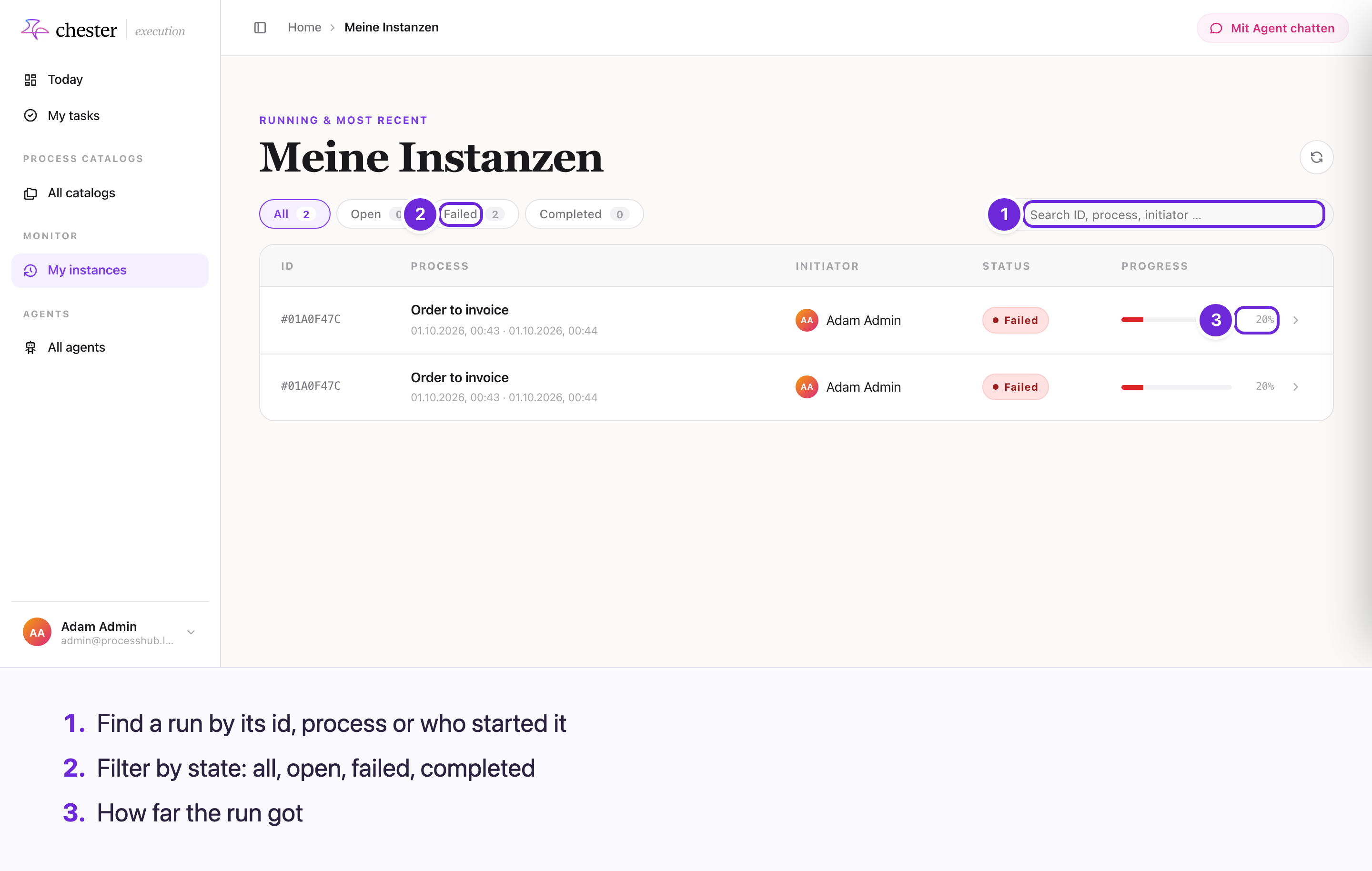
- The filters All, Open, Failed and Completed — a cancelled run counts as completed.
- Search ID, process, initiator …; ten runs per page.
- Each row: the run's id, the process with its start and last activity, who started it, its status and how far it got.
⚠️ The heading Meine Instanzen is German whatever the language of the screen.
#A run's page
Opening a run shows its status, who started it, X of Y steps, the current step and the last activity, and two tabs, Ablauf (the steps) and Audit (its metadata) — in German. A step that is a user task links to it in My tasks.
Compared with monitoring in the Designer:
- ❌ no retry and no interrupting a run;
- ❌ no workflow context tab;
- ⚠️ the page does not update by itself — use Refresh.