
#Comment on a process
Comments let a team discuss a process right next to it, and mentioning a colleague with @ sends them a notification.
#Open the comments
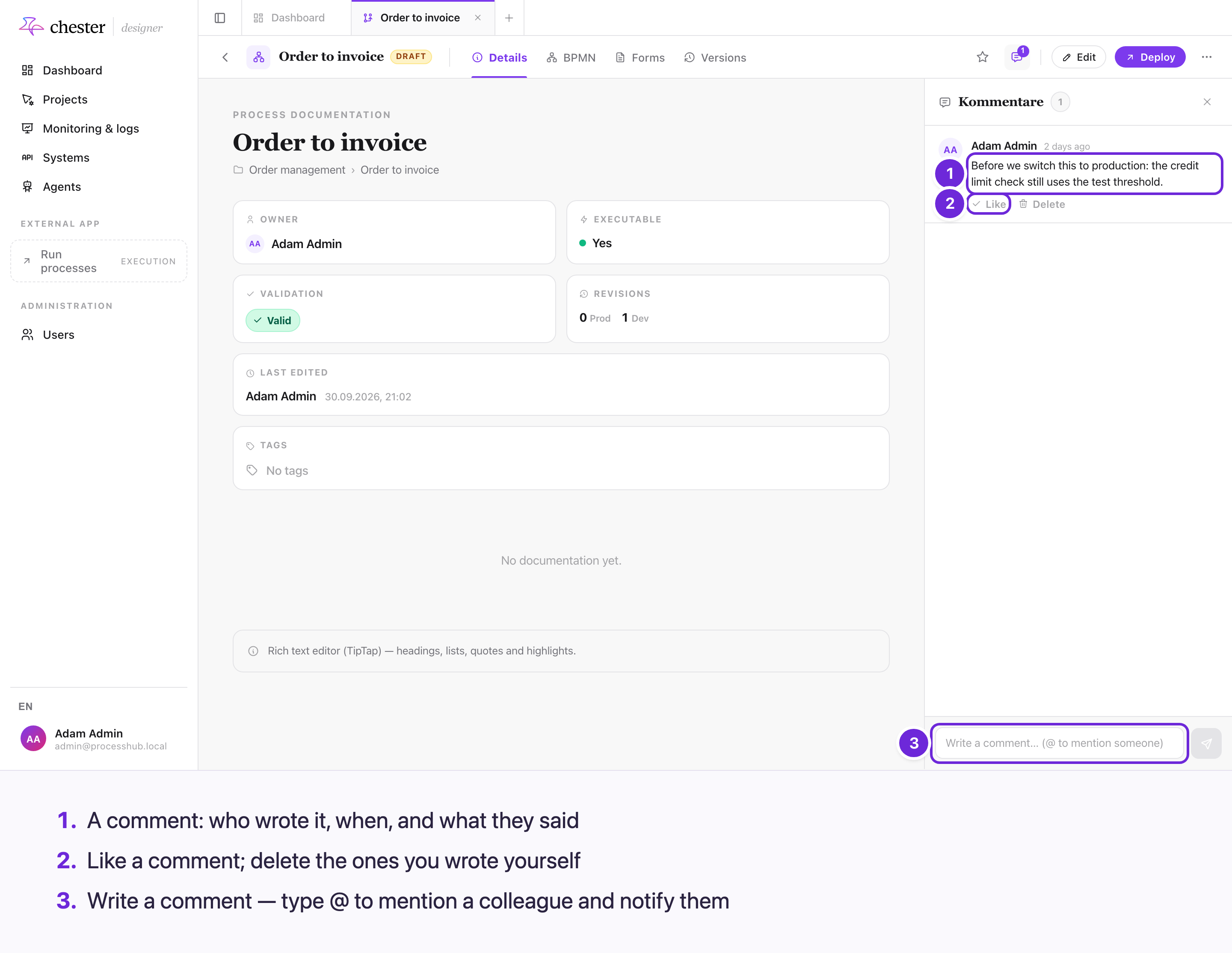
- A comment shows who wrote it, how long ago, and what they said.
- Like a comment. Delete appears on the comments you wrote yourself.
- Write a comment at the bottom. Type @ to mention a colleague.
Click the speech-bubble button in the process header; the number on it counts the comments. The panel opens beside the Details tab — opening it switches to Details if you were on another tab. Close it with the × in its corner.
⚠️ The panel's heading and the button's tooltip read Kommentare, in German, whatever the language of the screen.
#Write a comment and mention someone
Type into Write a comment… (@ to mention someone) and press Enter to send. Shift+Enter starts a new line.
To mention someone, type @ and start typing their name. Pick them from the list with the arrow keys and Enter, or with the mouse.
#Who is notified
flowchart TD
  C["You post a comment"] --> M{"Did you mention<br/>anyone?"}
  M -- "yes" --> N1["Each person you mentioned<br/>gets a mention notification"]
  M -- "no" --> O
  N1 --> O{"Is the process owner<br/>you, or already mentioned?"}
  O -- "no" --> N2["The owner gets a<br/>new-comment notification"]
  O -- "yes" --> Z["Nobody else is notified"]
- Everyone you @mention is notified.
- The process owner is notified of every comment — unless they wrote it themselves or were already mentioned in it.
- Nobody is notified twice for the same comment, and you are never notified of your own.
Notifications appear on the Designer dashboard, in the Notifications card. Clicking one opens the process.
⚠️ The notification's title is German — "Erwähnung in Kommentar" or "Neuer Kommentar" — whatever the language of the screen.
#What comments cannot do
- ❌ Reply. Comments form one flat list, newest last; there are no threads.
- ❌ Edit. To correct a comment, delete it and write it again.
- ❌ Attach a file. The panel has no way to add one.
- ❌ Point at an element. A comment belongs to the whole process, not to a task or a gateway in the diagram.
Deleting a process deletes its comments with it.