
#Development and production deployments
A process has at most one development and one production deployment at a time; only the production one is reachable from catalogs, chats and other processes, and the development one switches itself off after 30 runs or 24 hours.
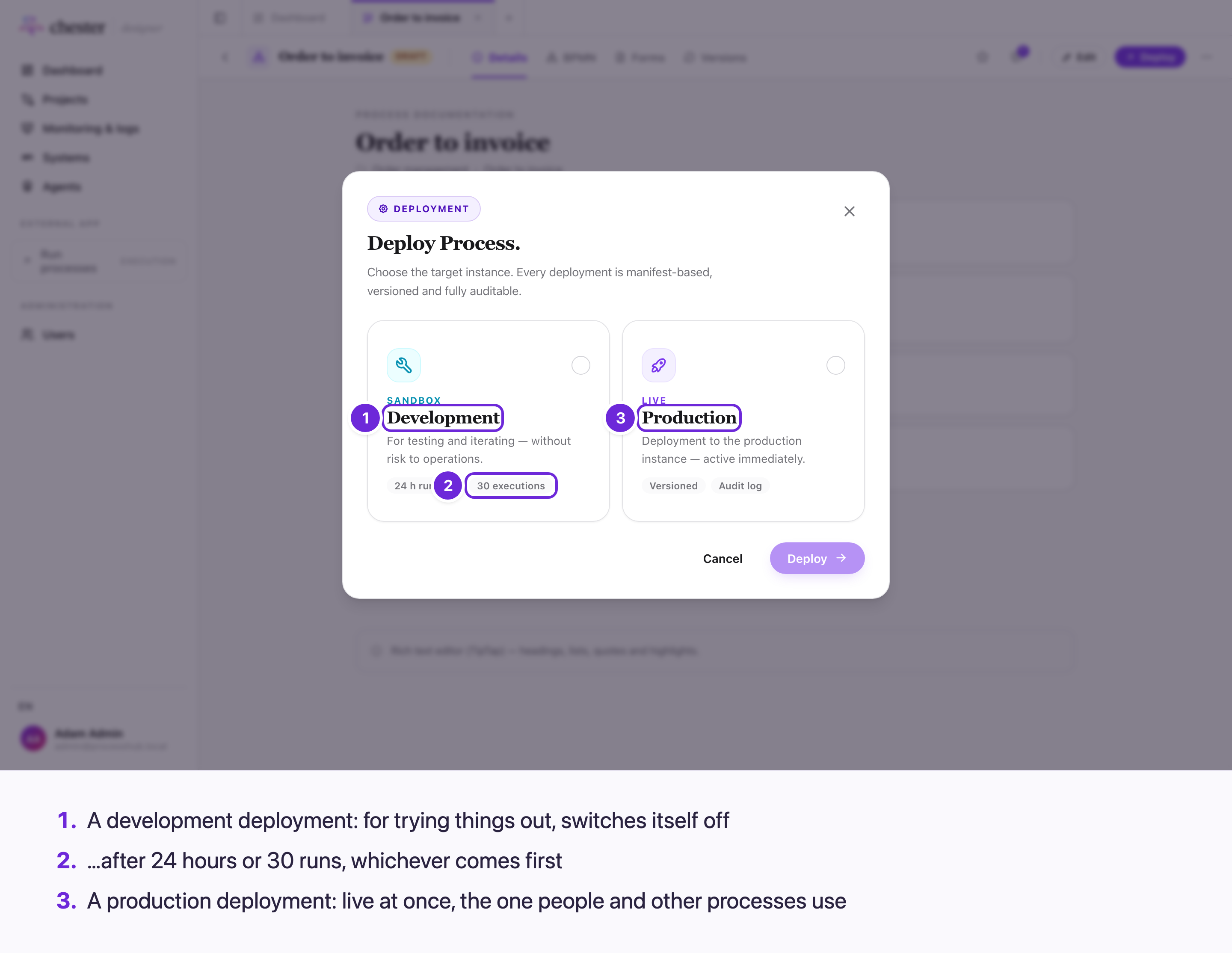
#Deploy
- Save the process. Deploy always takes the saved version; the button is hidden while you edit.
- Click Deploy, pick Development or Production, and click Deploy.
The process must be valid: a step with an error blocks the deployment ("Cannot deploy: the process contains validation errors"). Warnings and problems of the process as a whole — such as a path that never ends — do not. See Check that a process can run.
⚠️ A process that is not executable is deployed without any check.
⚠️ Messages from the server — a failed deploy, a deploy already running — are German.
#Who reaches which deployment
flowchart LR
  subgraph Prod["Production deployment"]
    P1["Process catalog<br/>in Execution"]
    P2["Call activities<br/>of other processes"]
    P3["Agent chat"]
  end
  subgraph Dev["Development deployment"]
    D1["Its own webhook"]
  end
  S["Static URL"] --> Prod
  S --> Dev
  W["Webhook of a<br/>message start event"] --> Prod
  W --> D1
| Started by | Production | Development |
|---|---|---|
| A person, from a catalog | ✅ | ❌ |
| A call activity | ✅ | ❌ — also when the calling process runs as development |
| An agent chat | ✅ | ❌ |
| A webhook of a message start event | ✅ its own | ✅ its own |
| A static URL | ✅ | ✅ — the same request starts both |
⚠️ There is no screen that starts a development deployment by hand. Test single steps in the workbench instead, or start the development deployment through its webhook.
#Which environment a step uses
Each step names its Environment — its host and credential. The deployment takes exactly that environment, whether you deploy to development or production. ⚠️ The help text says the environment is "resolved per target environment on deploy"; it is not. A step pointed at a production environment calls production from a development deployment too.
An inactive environment stops the deployment. A changed host or credential takes effect only with the next deployment.
#One of each
A new deployment replaces the previous one of the same kind: new runs use the new version. Runs that already started keep running on the version they started with.
#When a development deployment switches off
A development deployment switches itself off after 30 runs or 24 hours, whichever comes first — also across a restart. After that it no longer starts anything.
- ⚠️ Nobody is told. The Versions tab shows Not deployed after a refresh.
- ❌ It cannot be switched on again. Deploy again: that deploys the current saved process, with a fresh budget.
#The Versions tab
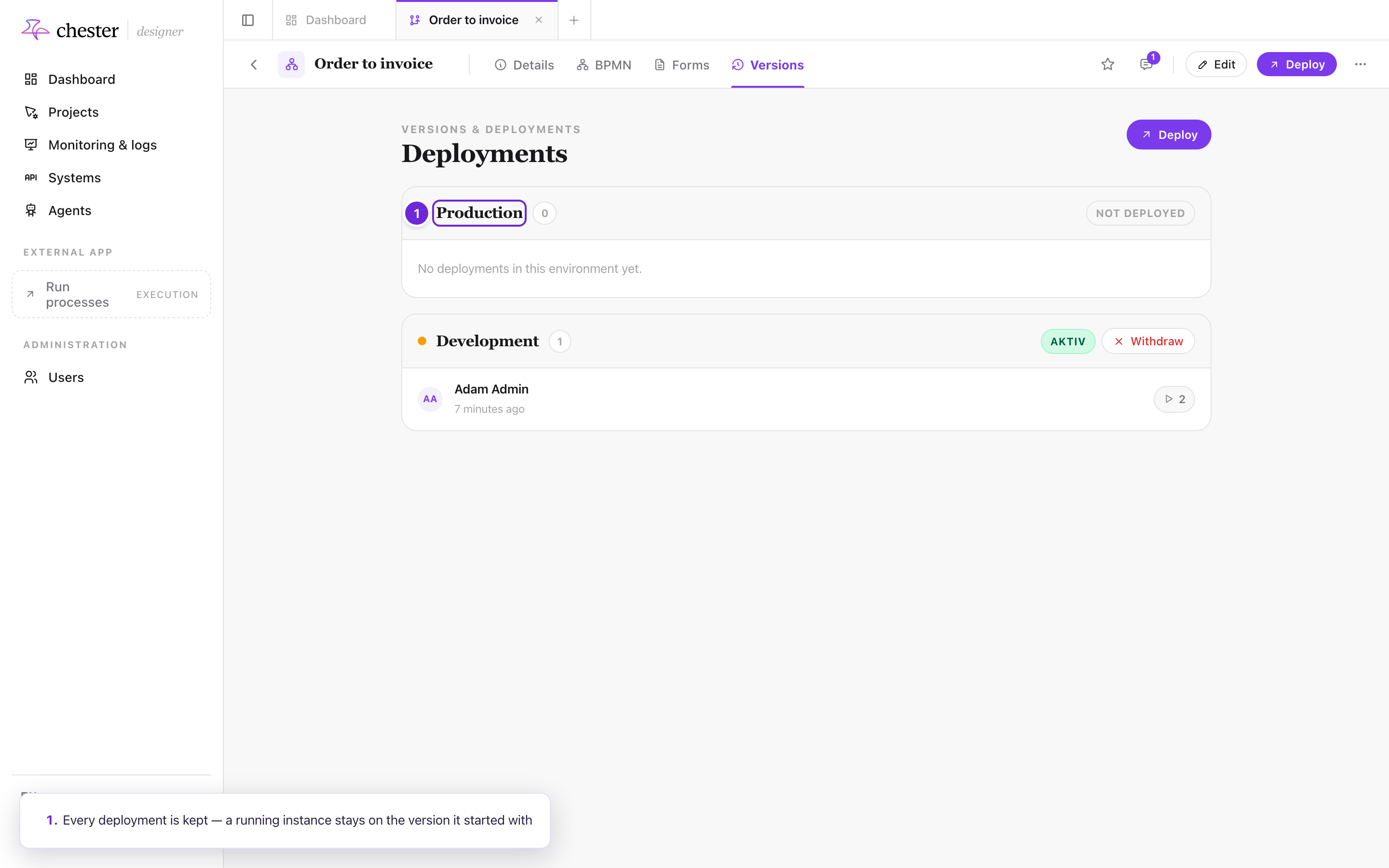
Versions lists every deployment of the process, grouped into Production and Development, newest first, with who deployed it, when, and how often it ran. Withdraw switches the active one off — see Withdraw a deployment.
- ⚠️ The status Aktiv is German whatever the language of the screen.
- ⚠️ The run count only counts development runs; production rows show 0.
- ❌ A deployment cannot be opened from here, compared, or restored.