
#Configure an agent's model
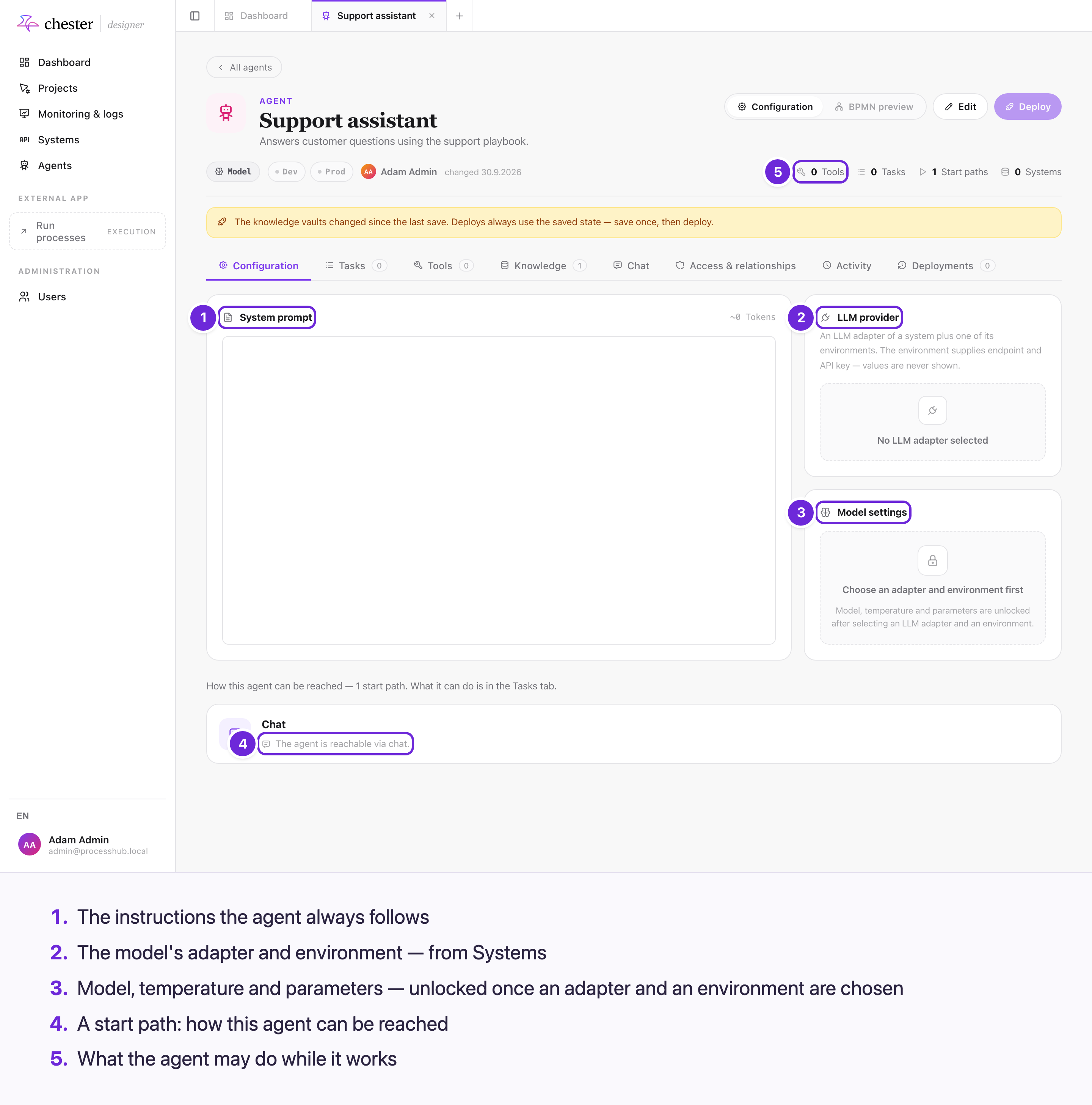
An agent runs on an LLM adapter and environment from Systems, a model the provider lists, and a system prompt; temperature, maximum tokens and maximum steps limit how it answers.
#In what order
flowchart LR
  A["1 · LLM provider<br/>adapter of a system"] --> E["2 · Environment<br/>with a credential"]
  E --> M["3 · Model<br/>from the provider's list"]
  M --> S["4 · Temperature, Max Tokens,<br/>Max Iter."]
  P["System prompt"] --> R["The agent's instructions"]
Open the agent, click Edit, and stay on the Configuration tab.
#Choose the LLM provider
- In LLM provider, click Select and pick an LLM adapter. Adapters that cannot call tools are greyed out — an agent needs tool calls. To create one, see Connect an LLM provider.
- Pick the Environment. It supplies the address and the API key; only active environments with a credential are offered. If just one qualifies, it is chosen for you.
Switching the adapter clears the environment and the model; Remove clears all three.
#Pick the model and its settings
Once adapter and environment are set, Model settings unlocks:
| Setting | What it does |
|---|---|
| Model | Chosen from the models the provider lists. Reload models asks again. A model you had chosen is kept even if the provider no longer lists it |
| Temperature | 0 (precise) to 2 (creative), 0.7 by default. Hidden when the adapter or the model does not accept one — reasoning models use the provider's default |
| Max Tokens | The longest answer, 4096 by default |
| Max Iter. | How many rounds of thinking and tool calls before the agent is stopped: 1 to 500, 50 by default |
⚠️ Reaching Max Iter. ends the run without an error — the answer is whatever the agent had reached. A task with a defined response still has to deliver it; see below.
⚠️ The labels Temperature, Max Tokens, Max Iter. and the token count next to the system
prompt are not translated, and numbers use German formatting (0,7).
❌ Provider-specific reasoning options cannot be set.
#Write the system prompt
System prompt holds the instructions the agent always follows — who it is, how it answers, what it must not do. The small counter estimates its length in tokens.
When a process asks the agent to do a task, the task's own Instruction for this task is added after the system prompt; it does not replace it. See Let an agent call its own tasks.
⚠️ In a chat the agent is told the current date and time; when a process runs it, it is not.
#A structured answer
A task can define the fields of its response on the Tasks tab. The agent then has to deliver them through a result tool, checked against that shape. If it finishes without doing so, it is asked once more; if it still does not, the step fails. Without a defined response, the caller gets the agent's text.
A chat and a start by message never use a defined response.
#What stops a deployment
An agent without an LLM adapter, an environment or a model cannot be deployed; neither can one whose environment is inactive or has no credential, or whose adapter cannot call tools. The messages are German.
⚠️ The API key is taken into the deployment. After changing the environment's credential, deploy the agent again.